


Servers come as indispensable elements of a network infrastructure. They serve as a heart of any setup. Thus, the place and quality of its installation directly affects the functioning of an entire infrastructure. This is why server rack installation is an important and responsible task.
When arranging data centers, it’s necessary to organize the available space ergonomically and properly. In this regard, when developing a DC layout, stability, scalability, and cooling efficiency are the key criteria taken into account to determine the right position for hardware.
In the article, we’re going to discuss how to mount a server in rack correctly to satisfy the mentioned points and ensure its smooth and healthy performance.
Preparing for Rack Installation
Settling a network infrastructure is a sequence of steps, after taking which technical specialists get a well-functioning ergonomic facility. However, before you get down to installation itself, it’s necessary to prepare for it. A preparatory stage includes several important pre-installation steps that ensure smooth and durable functioning. These include:
- Choosing the right rack type. Server furniture differs a lot. Modern manufacturers produce a wide range of models to satisfy the demands of all customers. Thus, technicians can pick the right rack model, depending on its size, construction, enclosure type, and fastening options.
- Checking compatibility (rack unit size, depth). When choosing the rack, it’s necessary to make sure if servers will fit it. Thus, technical specialists should evaluate rack dimensions and compare it with servers and other equipment.
- Gathering tools (rails, screws, cage nuts). When you learn how to rack a server, make sure to prepare all the needed tools to assemble the rack and fasten the hardware to its walls, shelves, or rails.
- Planning layout. Before you install the hardware into the chosen rack, it’s highly recommended to make a layout (in most cases, a 3D layout). This step allows for using the inner space ergonomically, allocating devices compactly, and developing the best possible scheme for equipment accommodation. Making the layout helps eliminate many mistakes and ensure hardware safety and effective housing.
Keep in mind these recommendations when considering how to install a server rack, and do not neglect the pre-installation phase. Success at this stage helps eliminate a lot of mistakes during subsequent installation and simplifies the process.
Installing the Server Rack
There are two main methods for installing servers in a cabinet, namely, floor-standing and wall-mounted.
Floor-standing cabinets are used to house heavy servers, UPS systems, and other large network equipment. They are installed directly on the floor. These models have a generous mounting height and load capacity, allowing them to accommodate a large amount of hardware.
Wall-mounted cabinets are designed for lightweight equipment such as routers, hubs, and switches. They are mounted to the wall with anchor bolts. They are typically no more than 600 mm deep and are suitable for small rooms or network access points. For ease of installation, it is recommended to install a mounting plate first.
When considering how to set up a rack server, it’s worth keeping in mind the following recommendations:
- Equipment mounting. Servers are mounted on rails that attach to the cabinet uprights. Once installed, servers are secured with screws or latches.
- Ventilation. Proper airflow through the equipment is essential to prevent overheating, so cooling requires particular consideration.
- Security. Server cabinets are lockable to prevent unauthorized access.
- External connections. Cabinets are equipped with cable entries and socket blocks to ensure convenient and compact powering and communication.
These aspects are essential for consideration to develop a safe environment for hardware operation. Sufficient cooling and airflow, high security issues, and neat cabling affect the durability of system performance.
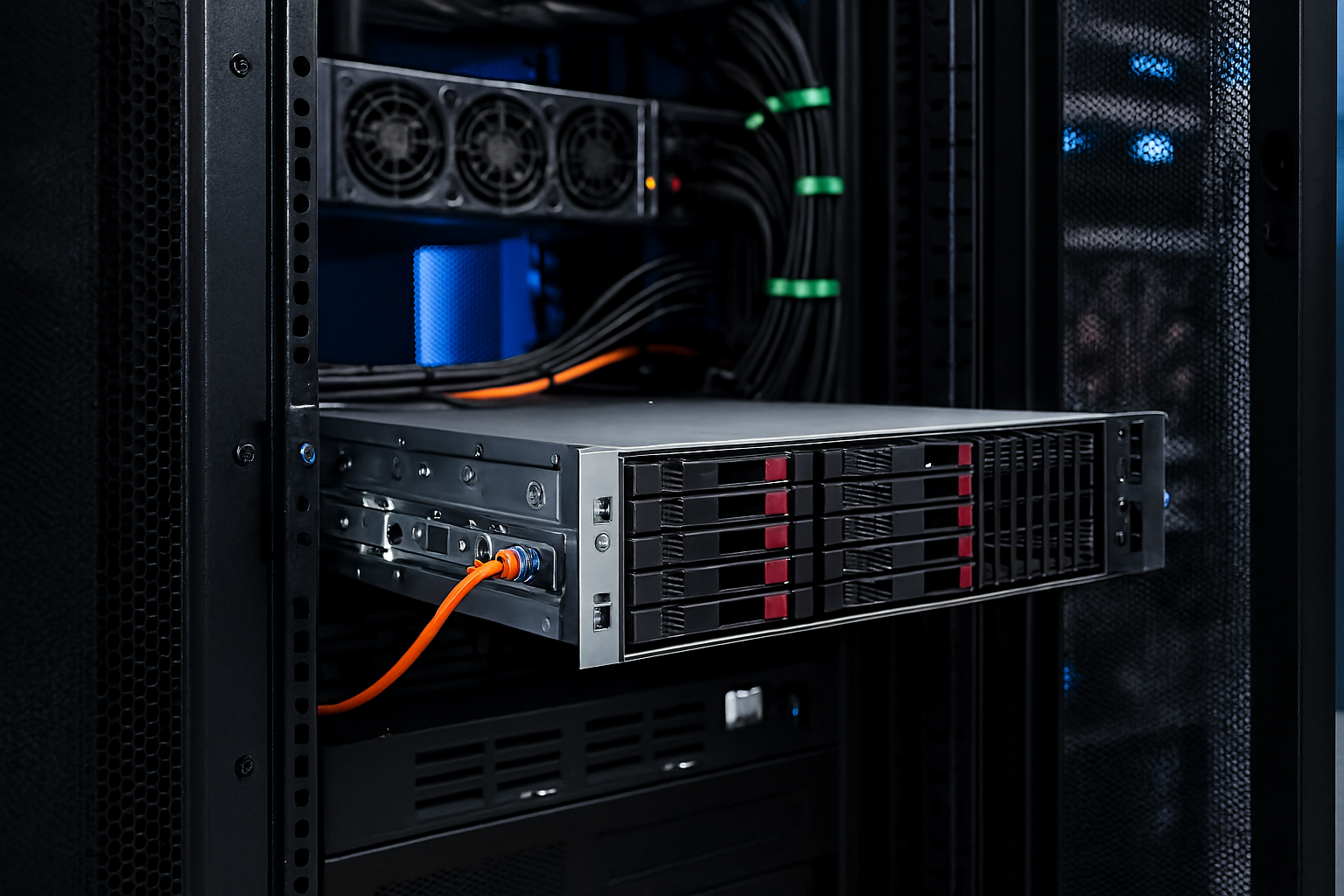
Mounting the Server into the Rack
Finally, we proceed to server installation. So, let’s discuss how to install a server into a rack. The procedure consists of several subsequent steps, namely:
- Attaching rails. Take rails and attach them to the server.
- Aligning the chassis. Carefully align the inner rails attached to the server with the outer rails on the rack.
- Securing the server. Secure the server from the front with screws to prevent it from sliding out accidentally.
- Distributing weight properly. Remember to distribute weight to avoid accidental tipping over or etc. Heavy servers are placed at the bottom. Compare weight with other devices to be housed in the rack and distribute them correctly.
Precision is important at this step since it affects server security and serviceability. Do not hurry up and recheck fasteners and other security tools twice.
Cable Management and Cooling
These aspects come as indispensable issues of server rack setup. When considering how to install a rack mount server, technicians should also pay attention to cable routing and temperature issues.
Hundreds of cables enter racks to ensure stable and smooth communication between devices and system units. To prevent cluttering and avoid impeding air circulation, multiple accessories are used. These are ties, handles, arms, organizers, etc. They help arrange cords in bundles and keep them neat. Labeling practices are widely used for marking cables to simplify their identification and maintenance.
Proper ventilation is another important issue, since poor airflow or incorrect temperatures lead to overheating and hardware failure. Thus, airflow optimization strategies are picked according to the system demand. Fans, passive or active cooling options, and other solutions are implemented to create an appropriate indoor climate for equipment functioning. Blanking panels are used to plug in unused slot’s ad prevent the outside air from penetrating the enclosure and disturbing the indoor environment. This solution contributes to effective airflow optimization.
Maintenance and Safety Tips
When the tech staff learns how to install a rack mount server, it should also get acquainted with the best practices for long-term reliability. These recommendations will be helpful to prolong hardware serviceability and eliminate the risk of damage:
- Regular checks. Regular maintenance eliminates errors and prolongs equipment operation, reducing wear. Thus, schedule checks to inspect data centers and the stored hardware.
- Grounding. It is necessary to ensure the electrical safety of personnel, protect critical server equipment from overvoltage and interference, and safely deflect lightning strikes.
- Avoiding blocking ventilation. Blocking ventilation will lead to temperature disturbances and an improper indoor climate, which results in increased hardware wear and an increased risk of damage.
- Uneven weight distribution. Inattention to weight distribution can lead to accidental tipping over, falling, and equipment damage. So, technicians should take into account hardware weight when developing a layout.
To sum up, note that it’s important to know how to mount a server and follow the procedure step by step. Success of proper rack installation affects system performance, safety, and scalability. Thus, the technical staff should approach this procedure responsively and check all aspects.